
Simple Calculator in C: Complete Tutorial with CLI Interface
Learn How to Create a Simple Calculator in C: Step-by-Step Guide for Beginners
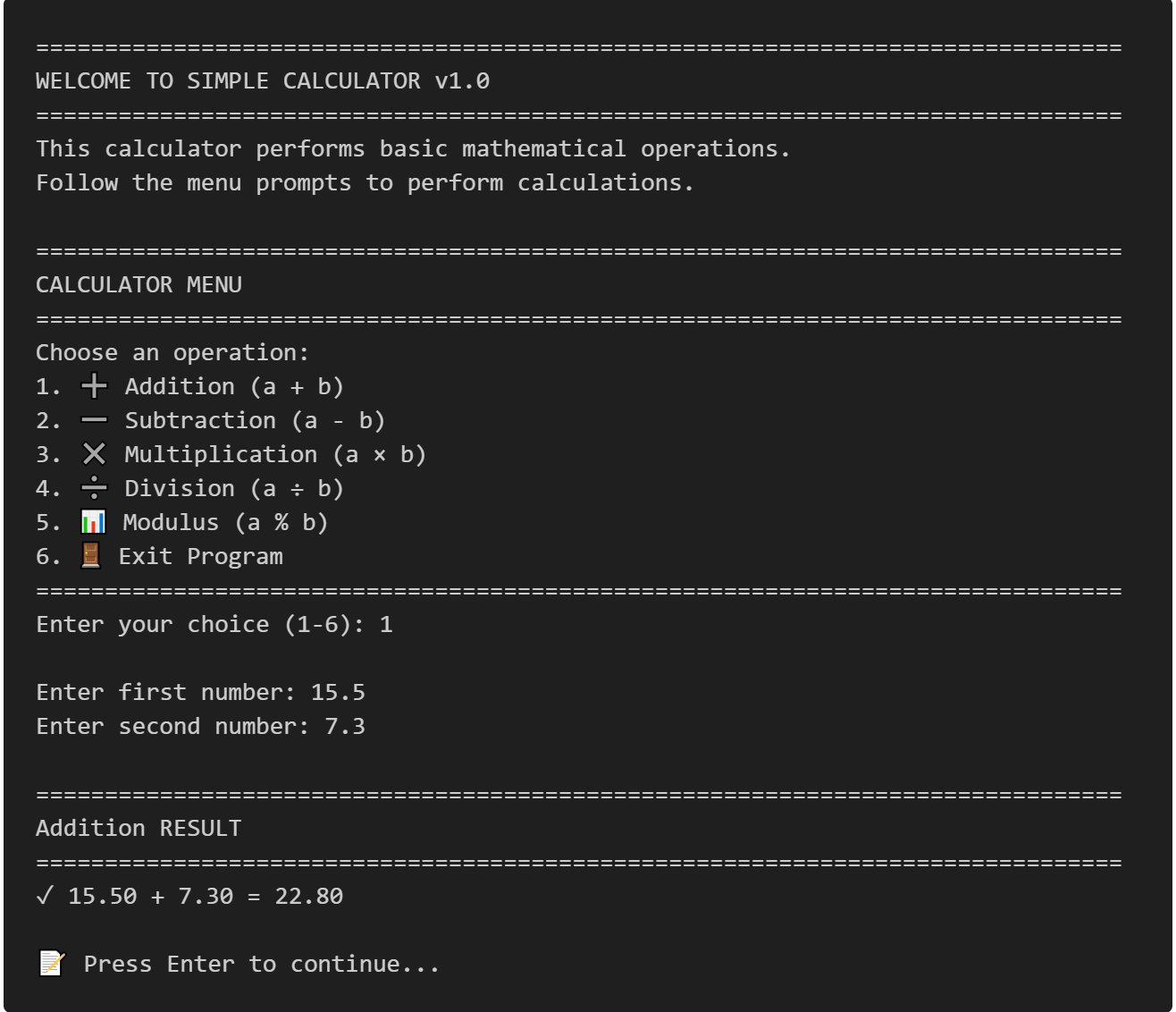
This comprehensive simple calculator in C tutorial teaches you how to build a fully functional menu-driven calculator with a command-line interface from scratch. Perfect for beginner C programmers, this project demonstrates essential programming concepts including function organization, switch statement control flow, input validation, and error handling. Learn to create a C calculator program that performs five arithmetic operations—addition, subtraction, multiplication, division, and modulus—with professional input validation and zero-division protection. This step-by-step guide includes complete source code, compilation instructions, common mistake solutions, and practice exercises to strengthen your C programming foundation.
Table of Contents
Implementation Details
This project is perfect for beginners learning C programming as it covers essential concepts like functions, switch statements, input validation, and user interaction.
What This Project Does
Our calculator will perform five basic mathematical operations:
- ➕ Addition
- ➖ Subtraction
- ✖️ Multiplication
- ➗ Division (with zero-division protection)
- 📊 Modulus (remainder operation)
Why This Project Is Useful
- Practical Application: Demonstrates real-world programming concepts.
- Function Usage: Shows how to organize code with modular functions.
- Input Validation: Teaches error handling and user input validation.
- Menu Systems: Introduces menu-driven programming patterns.
- Foundation Building: Perfect stepping stone to more complex projects.
Program Flow and Logic
Here's how our calculator works step by step:
        START
          |
    ┌─────▼─────┐
    │  Display  │
    │   Menu    │
    └─────┬─────┘
          │
    ┌─────▼─────┐
    │   Get     │
    │User Choice│
    └─────┬─────┘
          │
    ┌─────▼─────┐     NO
    │Choice = 6?├────────┐
    │  (Exit)   │        │
    └─────┬─────┘        │
          │ YES          │
    ┌─────▼─────┐        │
    │    END    │        │
    └───────────┘        │
                         │
           ┌─────────────┘
           │
           ▼
    ┌─────────────┐
    │   Get Two   │
    │   Numbers   │
    └─────┬───────┘
          │
    ┌─────▼─────┐
    │  Perform  │
    │ Operation │
    │  (Switch) │
    └─────┬─────┘
          │
    ┌─────▼─────┐
    │  Display  │
    │  Result   │
    └─────┬─────┘
          │
    ┌─────▼─────┐
    │Continue or│
    │   Exit?   │
    └─────┬─────┘
          │
          └──────────────┐
                         │
                    ┌────▼────┐
                    │  LOOP   │
                    │  BACK   │
                    └─────────┘
Key Programming Concepts Used:
- Functions: Each operation has its own function.
- Switch Statement: Menu selection handling.
- Do-While Loop: Continues until user exits.
- Input Validation: Prevents errors and crashes.
- Modular Design: Clean, organized code structure
Complete Source Code
Calculator.c
/*
===============================================================================
                        SIMPLE CALCULATOR - CLI VERSION
===============================================================================
Description: A beginner-friendly calculator program in C with menu interface
Author: C Programming Tutorial
Features: Addition, Subtraction, Multiplication, Division, Modulus
Compilation: gcc -Wall -Wextra -std=c99 -o calculator calculator.c
===============================================================================
*/

#include <stdio.h>
#include <stdlib.h>

/* ===============================================================================
                                FUNCTION PROTOTYPES
=============================================================================== */

// Mathematical operation functions
double add(double a, double b);
double subtract(double a, double b);
double multiply(double a, double b);
double divide(double a, double b);
int modulus(int a, int b);

// Utility functions
void displayMenu(void);
void clearInputBuffer(void);
int getValidChoice(void);
double getValidNumber(const char* prompt);
void displayResult(double result, const char* operation);
void pressEnterToContinue(void);

/* ===============================================================================
                                    MAIN FUNCTION
=============================================================================== */

int main(void) {
    int choice;
    double num1, num2, result;

    printf("\n");
    printf("===============================================================================\n");
    printf("                    WELCOME TO SIMPLE CALCULATOR v1.0\n");
    printf("===============================================================================\n");
    printf("This calculator performs basic mathematical operations.\n");
    printf("Follow the menu prompts to perform calculations.\n");

    // Main program loop - continues until user chooses to exit
    do {
        displayMenu();
        choice = getValidChoice();

        // Handle exit option
        if (choice == 6) {
            printf("\n");
            printf("===============================================================================\n");
            printf("                    THANK YOU FOR USING THE CALCULATOR!\n");
            printf("===============================================================================\n");
            break;
        }

        // Get input numbers for calculation
        printf("\n");
        num1 = getValidNumber("Enter first number: ");
        num2 = getValidNumber("Enter second number: ");

        printf("\n");
        printf("===============================================================================\n");

        // Perform calculation based on user choice
        switch (choice) {
            case 1: // Addition
                result = add(num1, num2);
                displayResult(result, "Addition");
                printf("%.2f + %.2f = %.2f\n", num1, num2, result);
                break;

            case 2: // Subtraction
                result = subtract(num1, num2);
                displayResult(result, "Subtraction");
                printf("%.2f - %.2f = %.2f\n", num1, num2, result);
                break;

            case 3: // Multiplication
                result = multiply(num1, num2);
                displayResult(result, "Multiplication");
                printf("%.2f × %.2f = %.2f\n", num1, num2, result);
                break;

            case 4: // Division
                if (num2 == 0) {
                    printf("                              ERROR: DIVISION BY ZERO\n");
                    printf("===============================================================================\n");
                    printf("❌ Cannot divide by zero! Please try again with a non-zero divisor.\n");
                } else {
                    result = divide(num1, num2);
                    displayResult(result, "Division");
                    printf("%.2f ÷ %.2f = %.2f\n", num1, num2, result);
                }
                break;

            case 5: // Modulus
                // Modulus only works with integers
                if (num2 == 0) {
                    printf("                              ERROR: MODULUS BY ZERO\n");
                    printf("===============================================================================\n");
                    printf("❌ Cannot perform modulus by zero! Please try again.\n");
                } else {
                    int intNum1 = (int)num1;
                    int intNum2 = (int)num2;
                    int modResult = modulus(intNum1, intNum2);
                    printf("                               MODULUS RESULT\n");
                    printf("===============================================================================\n");
                    printf("✓ %d %% %d = %d\n", intNum1, intNum2, modResult);
                }
                break;

            default:
                printf("                                 INVALID CHOICE\n");
                printf("===============================================================================\n");
                printf("❌ Please select a valid option (1-6).\n");
        }

        pressEnterToContinue();

    } while (choice != 6);

    return 0;
}

/* ===============================================================================
                            MATHEMATICAL OPERATION FUNCTIONS
=============================================================================== */

/**
 * Addition function
 * @param a: First number
 * @param b: Second number
 * @return: Sum of a and b
 */
double add(double a, double b) {
    return a + b;
}

/**
 * Subtraction function
 * @param a: First number (minuend)
 * @param b: Second number (subtrahend)
 * @return: Difference of a and b
 */
double subtract(double a, double b) {
    return a - b;
}

/**
 * Multiplication function
 * @param a: First number
 * @param b: Second number
 * @return: Product of a and b
 */
double multiply(double a, double b) {
    return a * b;
}

/**
 * Division function
 * @param a: Dividend
 * @param b: Divisor (should not be zero)
 * @return: Quotient of a divided by b
 */
double divide(double a, double b) {
    return a / b;
}

/**
 * Modulus function (remainder after division)
 * @param a: Dividend (integer)
 * @param b: Divisor (integer, should not be zero)
 * @return: Remainder of a divided by b
 */
int modulus(int a, int b) {
    return a % b;
}

/* ===============================================================================
                                UTILITY FUNCTIONS
=============================================================================== */

/**
 * Display the main menu options
 */
void displayMenu(void) {
    printf("\n");
    printf("===============================================================================\n");
    printf("                               CALCULATOR MENU\n");
    printf("===============================================================================\n");
    printf("Choose an operation:\n");
    printf("  1. ➕  Addition       (a + b)\n");
    printf("  2. ➖  Subtraction    (a - b)\n");
    printf("  3. ✖️   Multiplication (a × b)\n");
    printf("  4. ➗  Division       (a ÷ b)\n");
    printf("  5. 📊  Modulus        (a %% b)\n");
    printf("  6. 🚪  Exit Program\n");
    printf("===============================================================================\n");
}

/**
 * Clear input buffer to handle invalid input
 */
void clearInputBuffer(void) {
    int c;
    while ((c = getchar()) != '\n' && c != EOF) {
        // Clear the input buffer
    }
}

/**
 * Get valid menu choice from user
 * @return: Valid choice (1-6)
 */
int getValidChoice(void) {
    int choice;

    while (1) {
        printf("Enter your choice (1-6): ");

        if (scanf("%d", &choice) == 1) {
            clearInputBuffer();
            if (choice >= 1 && choice <= 6) {
                return choice;
            } else {
                printf("❌ Invalid choice! Please enter a number between 1 and 6.\n\n");
            }
        } else {
            clearInputBuffer();
            printf("❌ Invalid input! Please enter a numeric choice (1-6).\n\n");
        }
    }
}

/**
 * Get valid number from user with custom prompt
 * @param prompt: Message to display to user
 * @return: Valid floating-point number
 */
double getValidNumber(const char* prompt) {
    double number;

    while (1) {
        printf("%s", prompt);

        if (scanf("%lf", &number) == 1) {
            clearInputBuffer();
            return number;
        } else {
            clearInputBuffer();
            printf("❌ Invalid input! Please enter a valid number.\n");
        }
    }
}

/**
 * Display formatted result header
 * @param result: The calculated result
 * @param operation: Name of the operation performed
 */
void displayResult(double result, const char* operation) {
    printf("                               %s RESULT\n", operation);
    printf("===============================================================================\n");
    printf("✓ ");
}

/**
 * Pause program and wait for user to press Enter
 */
void pressEnterToContinue(void) {
    printf("\n📝 Press Enter to continue...");
    getchar();
}

/* ===============================================================================
                                END OF PROGRAM
=============================================================================== */
Compilation and Execution
gcc -Wall -Wextra -std=c99 -o calculator calculator.c
How to Run:
./calculator    # Linux/Mac
calculator.exe  # Windows
Sample Input and Output
Here's what you'll see when running the program:
===============================================================================
WELCOME TO SIMPLE CALCULATOR v1.0
===============================================================================
This calculator performs basic mathematical operations.
Follow the menu prompts to perform calculations.

===============================================================================
CALCULATOR MENU
===============================================================================
Choose an operation:
1. ➕ Addition (a + b)
2. ➖ Subtraction (a - b)
3. ✖️ Multiplication (a × b)
4. ➗ Division (a ÷ b)
5. 📊 Modulus (a % b)
6. 🚪 Exit Program
===============================================================================
Enter your choice (1-6): 1

Enter first number: 15.5
Enter second number: 7.3

===============================================================================
Addition RESULT
===============================================================================
✓ 15.50 + 7.30 = 22.80

📝 Press Enter to continue...

===============================================================================
CALCULATOR MENU
===============================================================================
Choose an operation:
1. ➕ Addition (a + b)
2. ➖ Subtraction (a - b)
3. ✖️ Multiplication (a × b)
4. ➗ Division (a ÷ b)
5. 📊 Modulus (a % b)
6. 🚪 Exit Program
===============================================================================
Enter your choice (1-6): 4

Enter first number: 100
Enter second number: 0

===============================================================================
ERROR: DIVISION BY ZERO
===============================================================================
❌ Cannot divide by zero! Please try again with a non-zero divisor.

📝 Press Enter to continue...
Common Mistakes and Debugging Tips
1. Forgetting break in Switch Statements
❌ Wrong:
switch (choice) {
    case 1:
        result = add(num1, num2);
        // Missing break - will continue to case 2!
    case 2:
        result = subtract(num1, num2);
        break;
}
✅ Correct:
switch (choice) {
    case 1:
        result = add(num1, num2);
        break;  // Essential!
    case 2:
        result = subtract(num1, num2);
        break;
}
2. Not Handling Division by Zero
❌ Wrong:
double divide(double a, double b) {
    return a / b; // Will cause runtime error if b = 0
}
✅ Correct:
// In main function:
if (num2 == 0) {
    printf("Error: Cannot divide by zero!\n");
} else {
    result = divide(num1, num2);
    printf("%.2f ÷ %.2f = %.2f\n", num1, num2, result);
}
3. Input Buffer Problems
❌ Problem: When scanf
fails, invalid input stays
in buffer
scanf("%d", &choice); // If user enters "abc", it stays in buffer
✅ Solution: Clear the buffer after each input
if (scanf("%d", &choice) == 1) {
    clearInputBuffer();  // Clear any remaining input
    // Process valid input
} else {
    clearInputBuffer();  // Clear invalid input
    // Handle error
}
4. Infinite Loops in Input Validation
❌ Wrong:
do {
    printf("Enter choice: ");
    scanf("%d", &choice);
} while (choice < 1 || choice > 6);  // No handling of invalid input
✅ Correct:
while (1) {
    printf("Enter choice: ");
    if (scanf("%d", &choice) == 1 && choice >= 1 && choice <= 6) {
        clearInputBuffer();
        break;  // Valid input received
    } else {
        clearInputBuffer();
        printf("Invalid input! Try again.\n");
    }
}
Practice Exercises
Exercise 1: Add Power Operation
Challenge: Add a power operation (a^b) to the calculator.
- Add option 7 to the menu.
- Create a
power()function. - Add a new case in the switch statement.
- You can use a loop or include
<math.h>and usepow()function.
// Add this include at the top
#include

// Add this function
double power(double base, double exponent) {
    return pow(base, exponent);
}

// Update the menu display
void displayMenu(void) {
    printf("\n");
    printf("===============================================================================\n");
    printf("                               CALCULATOR MENU\n");
    printf("===============================================================================\n");
    printf("Choose an operation:\n");
    printf("  1. ➕  Addition       (a + b)\n");
    printf("  2. ➖  Subtraction    (a - b)\n");
    printf("  3. ✖️   Multiplication (a × b)\n");
    printf("  4. ➗  Division       (a ÷ b)\n");
    printf("  5. 📊  Modulus        (a %% b)\n");
    printf("  6. ⚡  Power          (a ^ b)\n");  // New option
    printf("  7. 🚪  Exit Program\n");              // Updated exit option
    printf("===============================================================================\n");
}

// Add this case in the switch statement (before case 7)
case 6: // Power
    result = power(num1, num2);
    displayResult(result, "Power");
    printf("%.2f ^ %.2f = %.2f\n", num1, num2, result);
    break;

// Update exit condition and validation to use 7 instead of 6
Exercise 2: Add Square Root Operation
Challenge: Add square root functionality that works on a single number.
- Add square root option to menu.
- Only ask for one number (not two).
- Validate that the number is non-negative.
- Use
sqrt()from<math.h>function.
// Add this function
double squareRoot(double number) {
    return sqrt(number);
}

// Add to menu (option 7, making exit option 8)
printf("  7. √   Square Root    (√a)\n");
printf("  8. 🚪  Exit Program\n");

// Add this case in switch statement
case 7: // Square Root
    if (num1 < 0) {
        printf("                              ERROR: NEGATIVE NUMBER\n");
        printf("===============================================================================\n");
        printf("❌ Cannot calculate square root of negative number!\n");
    } else {
        result = squareRoot(num1);
        displayResult(result, "Square Root");
        printf("√%.2f = %.2f\n", num1, result);
    }
    break;

// Note: For square root, you might want to modify the input logic
// to only ask for one number when choice == 7
Exercise 2: Add Memory Functions
Challenge: Implement basic memory functions (M+, M-, MR, MC) like a real calculator.
- Add global memory variable.
- Add menu options for Memory Add, Memory Subtract, Memory Recall, Memory Clear.
- Allow using memory value as input for calculationse.
// Add global variable
double memory = 0.0;

// Add these functions
void memoryAdd(double value) {
    memory += value;
    printf("✓ Memory: %.2f (Added %.2f)\n", memory, value);
}

void memorySubtract(double value) {
    memory -= value;
    printf("✓ Memory: %.2f (Subtracted %.2f)\n", memory, value);
}

void memoryRecall(void) {
    printf("✓ Memory Recall: %.2f\n", memory);
}

void memoryClear(void) {
    memory = 0.0;
    printf("✓ Memory Cleared\n");
}

// Update menu with memory options (9-12)
printf("  9. M+  Memory Add\n");
printf(" 10. M-  Memory Subtract\n");
printf(" 11. MR  Memory Recall\n");
printf(" 12. MC  Memory Clear\n");
printf(" 13. 🚪  Exit Program\n");

// Add cases in switch statement
case 9: // Memory Add
    num1 = getValidNumber("Enter number to add to memory: ");
    memoryAdd(num1);
    break;
case 10: // Memory Subtract
    num1 = getValidNumber("Enter number to subtract from memory: ");
    memorySubtract(num1);
    break;
case 11: // Memory Recall
    memoryRecall();
    break;
case 12: // Memory Clear
    memoryClear();
    break;
Conclusion
Congratulations! 🎉 You've successfully created a fully functional calculator in C with:
The simple calculator tutorial in C provides an excellent introduction to using basic programming concepts such as variables, user input, conditional statements (if-else or switch-case), and arithmetic operations. By building this project step-by-step, beginners learn how to structure a console application that performs addition, subtraction, multiplication, and division based on user input. This foundational exercise helps new programmers develop their logic and C coding skills while gaining confidence in building interactive command-line tools.
Next Steps:
- Try the exercises above to enhance your calculator.
- Add more operations like factorial, trigonometric functions.
- Create a GUI version using libraries like GTK or ncurses.
- Implement expression parsing to evaluate complex expressions like "2+3*4".
- Add history functionality to remember previous calculations.
Key Programming Skills Learned:
- Function definition and organization.
- Switch statement control flow.
- Input validation techniques.
- Error handling patterns.
- User interface design in CLI.
- Modular programming principles.
Keep practicing and building more projects to strengthen your C programming foundation! 🚀
Happy Coding!
Other Projects
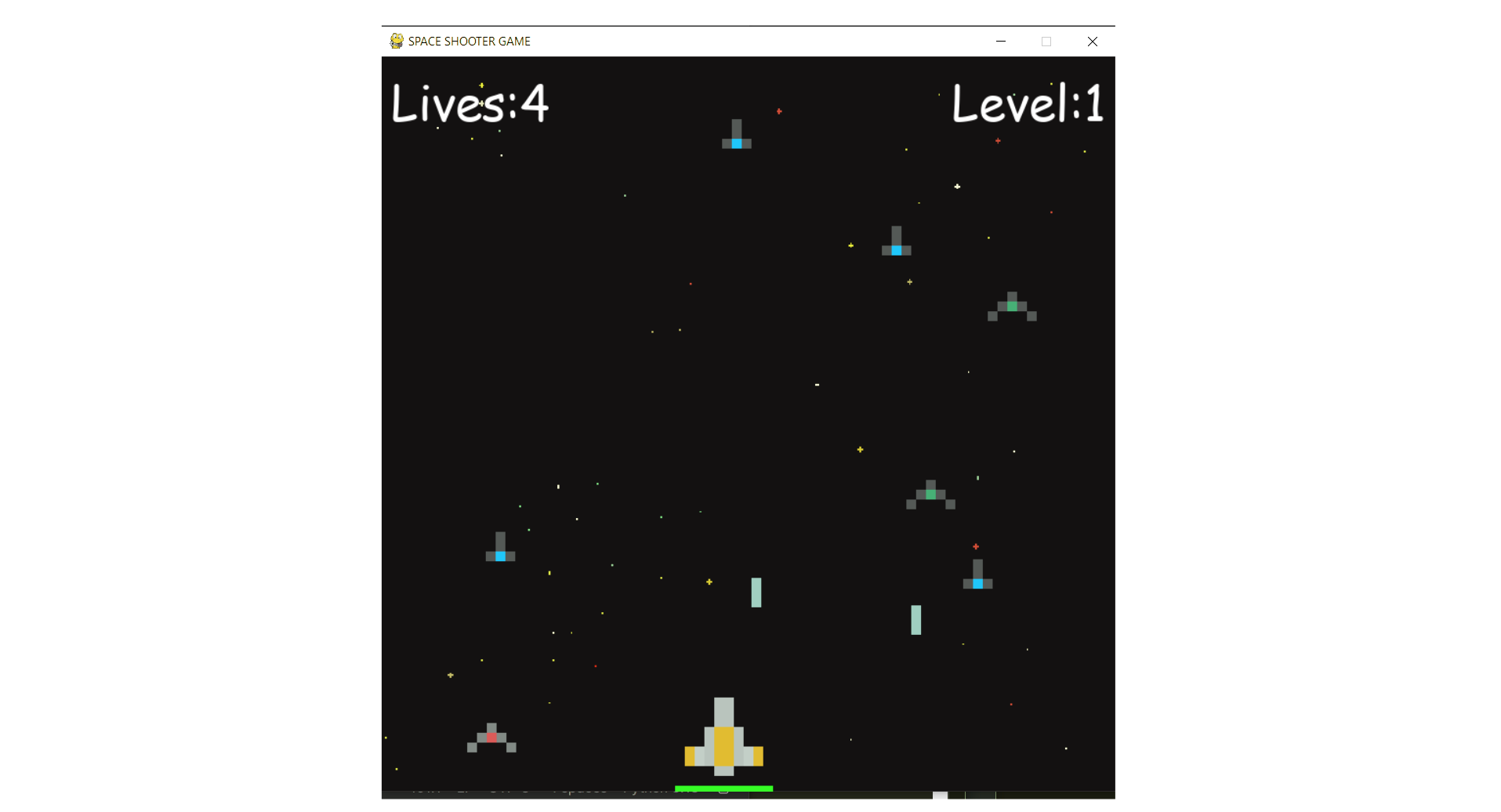
Shooter Game
This is a beginner-friendly guide for building a Space Shooter game with Python and Pygame, covering coding concepts and project structure.
View Project →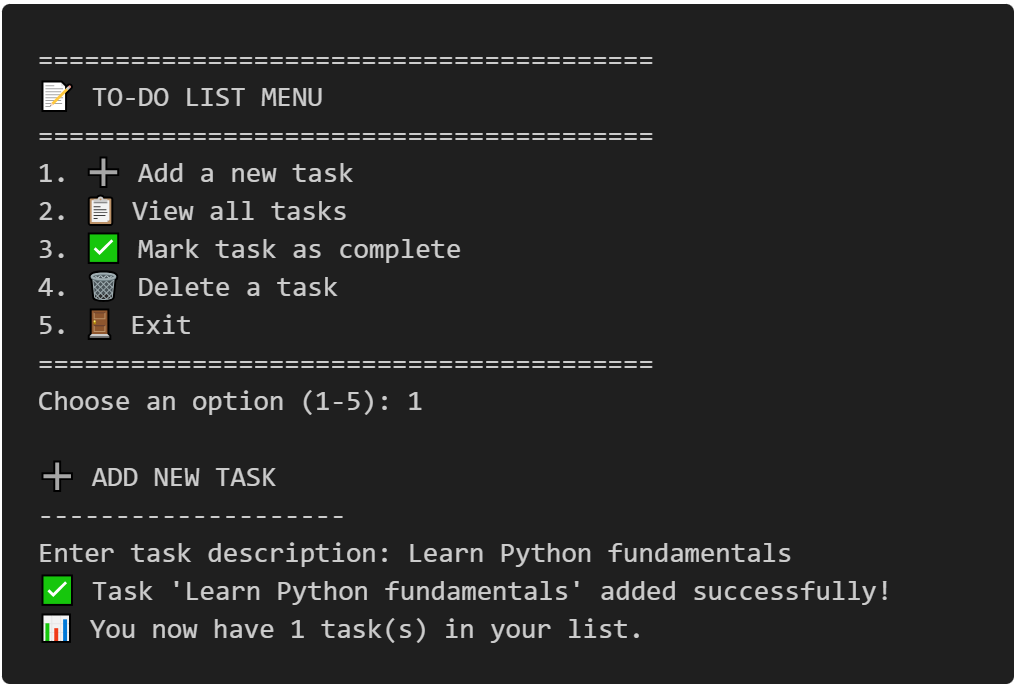
To-Do CLI App
Interactive command-line to-do list manager with Python, featuring list operations, persistent tasks, and practical coding exercises.
View Project →
Weather App
Responsive weather app with real-time API data, feature comparison, and intuitive design for global city forecasts.
View Project →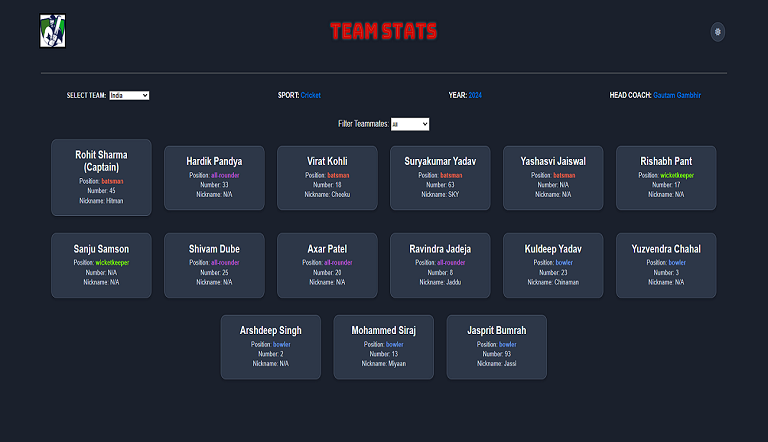
Team Card App
Interactive team card application for cricket, featuring dynamic team selection, player filters, and customizable light/dark themes.
View Project →
Password Strength Checker
Multi-Password Batch Strength Checker (C++), designed to check multiple passwords at once, show individual strength, and provide a summary report.
View Project →
VPN Connectivity verification in C
Efficient C program to verify VPN status, routing, and DNS configurations through comprehensive public IP and network adapter analysis.
View Project →