
Build a Python Telegram Bot That Monitors Any Website and Alerts You Instantly
Learn How to Create a Python Telegram Bot That Monitors Any Website and Alerts You Instantly: Step-by-Step Guide for Beginners:
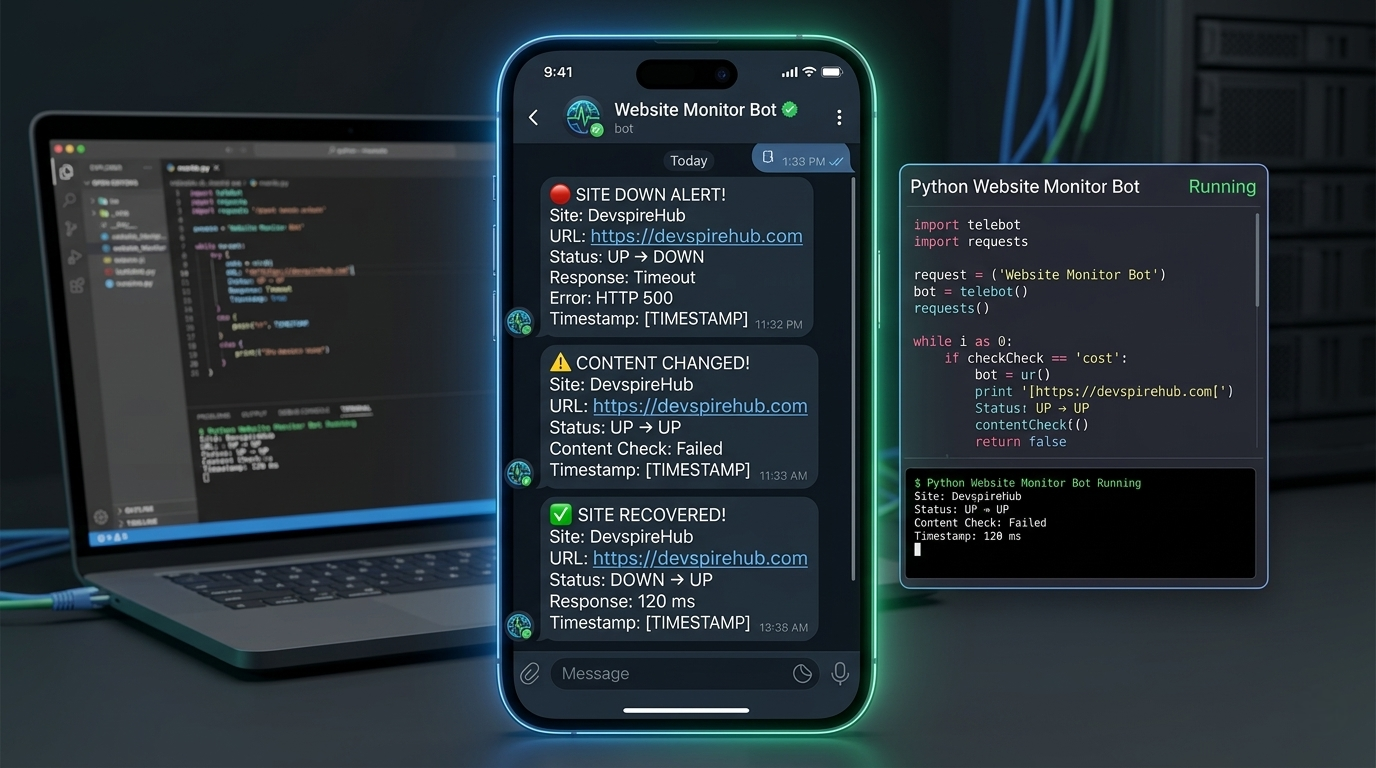
Imagine you run a website, an online shop, or a personal blog. What if your site goes down at 3 AM and you don't know until your customers start complaining? That's a nightmare scenario — and it's completely avoidable.
In this tutorial, you'll learn how to build a Python Telegram Bot that watches your websites 24/7 and sends you an instant Telegram alert the moment something goes wrong — whether the site is down, too slow, or missing critical content.
This is a real-world, production-ready Python project that teaches you:
- Asynchronous Python programming (
async/await). - HTTP request handling with
aiohttp. - Telegram Bot API integration.
- JSON-based data persistence.
- Background task loops.
Who Is This Tutorial For?
- Beginners who know basic Python and want a real project to build.
- Developers who want to monitor their own websites for free.
- Bug bounty hunters who need to track when target sites change.
- Freelancers who manage client websites and need uptime alerts.
- Students learning Python automation, bots, and async programming.
Table of Contents
Introduction
Never miss a downtime again. In this tutorial, you'll learn how to build a Python Telegram bot that automatically monitors any website 24/7 and sends you an instant Telegram alert the moment something changes — whether your site goes down, recovers, or loses critical content.
Whether you're a web developer protecting your live site, an ethical hacker tracking page changes for bug bounty hunting, or a Python beginner looking for a real-world automation project — this guide is built for you.
By the end, you'll have a fully working website monitoring Python script with commands like /add,
/status, and /pause —
all controlled directly from your Telegram app.
Project Architecture — How the Components Fit Together
Before diving into code, understand how the five Python files work together:
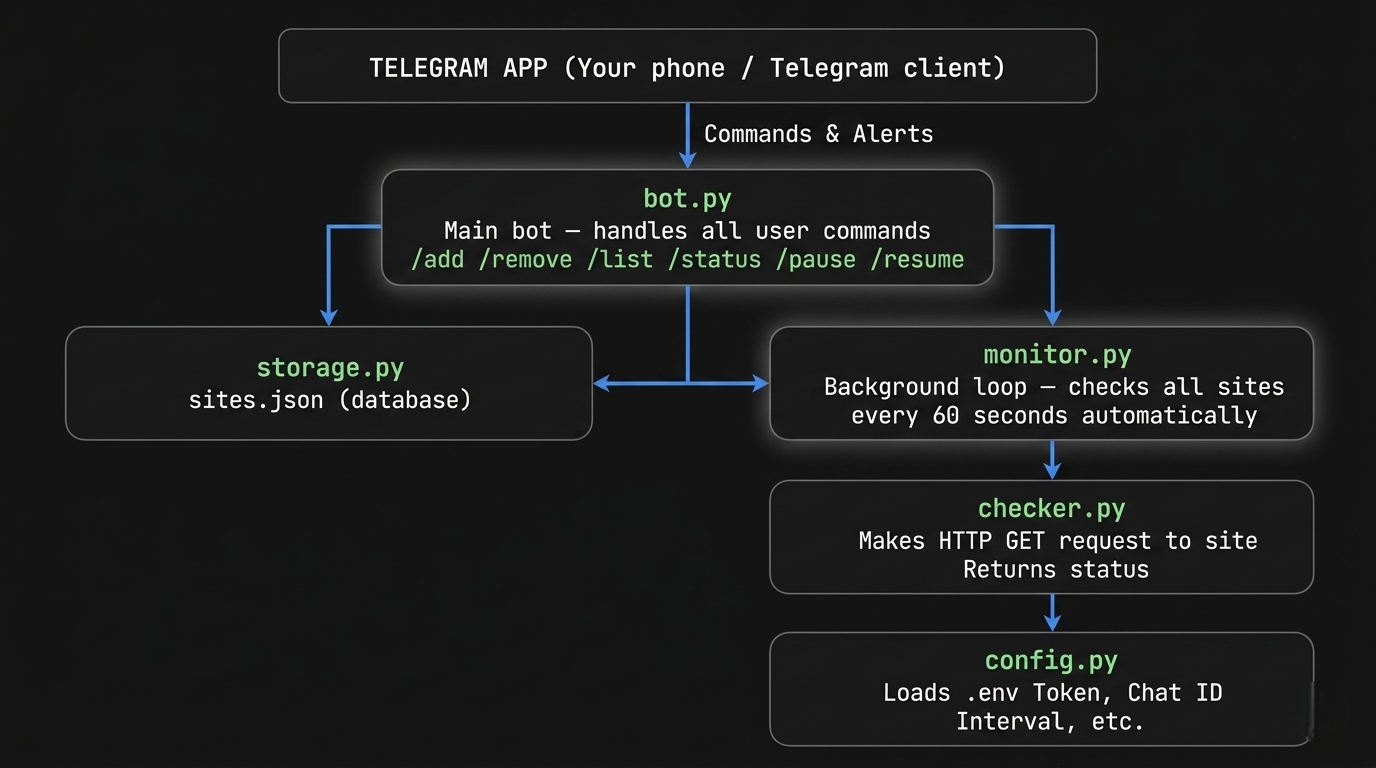
In Simple Terms:
config.py— reads your secret settingstorage.py— saves and loads site data from a JSON file.checker.py— visits each website and checks if it's alive.monitor.py— runs forever in the background, checking sites on a schedule.bot.py— the brain: handles your Telegram commands and starts everything.
Project File Structure
website-monitor-bot/
├── bot.py           ← Main bot: all Telegram commands
├── monitor.py       ← Background loop: checks sites automatically
├── checker.py       ← HTTP engine: visits websites, checks status
├── storage.py       ← Database: reads/writes sites.json
├── config.py        ← Settings: loads .env variables
├── sites.json       ← Auto-created: stores all your site data
├── .env             ← Secret file: bot token and chat ID
└── requirements.txt ← Python packages needed
Step 1: Get Your Telegram Bot Token
Before writing any code, you need a Telegram bot token.
- Open Telegram → search for "BotFather"
- Send: /newbot
- Follow the prompts → give your bot a name
- Copy the token BotFather gives you (looks like: 123456789:ABCdef...)
- Start your bot, then visit: https://api.telegram.org/bot
/getUpdates - Send any message to your bot
- Note your "chat_id" from the JSON response
Beginner Tip: Never share your bot token publicly. Treat it like a password. Anyone with your token can control your bot.
Step 2: Install Dependencies
Bash
pip install python-telegram-bot requests beautifulsoup4 python-dotenv aiohttp
What each package does:
| Package | Purpose |
|---|---|
python-telegram-bot |
Connects your Python code to Telegram's API |
aiohttp |
Makes fast, asynchronous HTTP requests to websites |
beautifulsoup4 |
Parses HTML (used for content checking) |
python-dotenv |
Loads secret values from your .env file |
requests |
Standard HTTP library (fallback utility) |
Step 3: Create Your .env File
Create a file named .env in your project folder:
BOT_TOKEN=123456789:ABCdefGHIjklMNOpqrstUVwxyz
CHAT_ID=987654321
CHECK_INTERVAL=60
What each variable means:
BOT_TOKEN: Your Telegram bot's unique token for authentication.CHAT_ID: The ID of the chat where you want to receive notifications.CHECK_INTERVAL: How often (in seconds) the bot should check the website for changes.
Beginner Tip: Never commit your .env file to GitHub. Add it to .gitignore to keep your secrets safe.
Step 4: Settings & Defaults (config.py)
config.py
import os
from dotenv import load_dotenv

load_dotenv()

BOT_TOKEN      = os.getenv("BOT_TOKEN")
CHAT_ID        = os.getenv("CHAT_ID")
CHECK_INTERVAL = int(os.getenv("CHECK_INTERVAL", 60))  # default: 60 seconds
STORAGE_FILE   = "sites.json"
REQUEST_TIMEOUT = 10   # max seconds to wait for a site response
MAX_SITES      = 50    # maximum number of sites per bot instance
What This Does
load_dotenv()reads your .env file and makes those values available as environment variables.os.getenv("BOT_TOKEN")fetches the value of BOT_TOKEN from the environment.int(os.getenv("CHECK_INTERVAL", 60))ifCHECK_INTERVALis not set in .env, it defaults to 60.STORAGE_FILEthe name of the JSON file used as a simple database.REQUEST_TIMEOUTif a website doesn't respond within 10 seconds, it's marked as down.MAX_SITESprevents abuse by limiting to 50 monitored sites.
Centralizing all settings in one file means you only need to change one place when adjusting bot behavior. This is a professional practice called configuration management.
Step 5: JSON Database (Persistent State) [storage.py]
storage.py
import json, os
from config import STORAGE_FILE

# Default data structure when no sites.json exists yet
DEFAULT = {"sites": {}, "paused": False}

def load() -> dict:
    """Read sites.json from disk. Return default if file doesn't exist."""
    if os.path.exists(STORAGE_FILE):
        with open(STORAGE_FILE, "r") as f:
            return json.load(f)
    return dict(DEFAULT)

def save(data: dict):
    """Write updated data back to sites.json."""
    with open(STORAGE_FILE, "w") as f:
        json.dump(data, f, indent=2)

def get_sites() -> dict:
    """Return the dictionary of all monitored sites."""
    return load().get("sites", {})

def add_site(url: str, name: str, keyword: str = None):
    """Add a new site to the watchlist."""
    data = load()
    data["sites"][url] = {
        "name": name,
        "keyword": keyword,
        "status": "unknown",
        "last_checked": None,
        "response_time": None,
        "failures": 0
    }
    save(data)

def remove_site(url: str) -> bool:
    """Remove a site from the watchlist. Returns True if found."""
    data = load()
    if url in data["sites"]:
        del data["sites"][url]
        save(data)
        return True
    return False

def update_site(url: str, **kwargs):
    """Update specific fields for a site (status, response time, etc.)."""
    data = load()
    if url in data["sites"]:
        data["sites"][url].update(kwargs)
        save(data)

def is_paused() -> bool:
    """Check if monitoring is currently paused."""
    return load().get("paused", False)

def set_paused(val: bool):
    """Set the global monitoring pause state."""
    data = load()
    data["paused"] = val
    save(data)
Code Explanation
Imports & Config
import json, os
from config import STORAGE_FILE
json— reads/writes JSON files.os— checks if the file exists on disk.STORAGE_FILE— a file path constant imported from your config (e.g., "storage.json" or "data/sites.json")
Default Data Structure
DEFAULT = {
    "sites": {},   # url -> { name, keyword, status, last_seen, response_time, added_by }
    "paused": False
}
This defines the skeleton of your JSON file when it doesn't exist yet:
| Key | Type | Purpose |
|---|---|---|
"sites" |
dict | All monitored websites, keyed by URL |
"paused" |
bool | Global toggle to pause all monitoring |
Each site entry (nested inside "sites") stores:
{
  "https://example.com": {
    "name": "Example Site",
    "keyword": "Welcome",
    "status": "unknown",
    "last_checked": null,
    "response_time": null,
    "failures": 0
  }
}
Core Read/Write Functions
➤ load() — Read from disk
def load() -> dict:
    if os.path.exists(STORAGE_FILE):
        with open(STORAGE_FILE, "r") as f:
            return json.load(f)
    return dict(DEFAULT)
Flow:
- Checks if the JSON file exists on disk.
- If yes → opens it and parses it into a Python
dict. - If no → returns a fresh copy of
DEFAULT.
Site Management Functions
➤ get_sites() — Fetch all monitored sites
def get_sites() -> dict:
    return load().get("sites", {})
- Loads the file and returns only the
"sites"dictionary. - Falls back to
{}if"sites"key is somehow missing.
➤ add_site() — Register a new site
def add_site(url: str, name: str, keyword: str = None):
    data = load()
    data["sites"][url] = {
        "name": name,
        "keyword": keyword,
        "status": "unknown",
        "last_checked": None,
        "response_time": None,
        "failures": 0,
    }
    save(data)
urlis the dictionary key — acts as a unique ID for each site.keywordis optional (= None) — used to check if a specific word appears in the response body.- All monitoring fields start at neutral defaults:
status: "unknown"— not yet checkedlast_checked: None— never checkedresponse_time: None— not measured yetfailures: 0— no failures recorded
➤ remove_site() — Delete a site
def remove_site(url: str) -> bool:
    data = load()
    if url in data["sites"]:
        del data["sites"][url]
        save(data)
        return True
    return False
- Returns
Trueif the site was found and deleted. - Returns
Falseif the URL didn't exist — lets the caller handle the "not found" case gracefully. - Safe — won't crash if URL is missing.
➤ update_site() — Updates site fields
def update_site(url: str, **kwargs):
    data = load()
    if url in data["sites"]:
        data["sites"][url].update(kwargs)
        save(data)
**kwargsaccepts any number of keyword arguments dynamically..update(kwargs)merges them into the existing site dict — only updating the fields you pass.- Used by the monitoring engine to write results back, e.g.:
# Called after checking a site
update_site(
    "https://example.com",
    status="up",
    last_checked="2026-04-08T12:00:00",
    response_time=0.342,
    failures=0
)
Pause Control Functions
➤ is_paused() — Check if
monitoring is
paused
def is_paused() -> bool:
    return load().get("paused", False)
- Returns
TrueorFalse. - The monitoring loop checks this before each check cycle — if
True, it skips all checks.
➤ set_paused() — Pause or resume monitoring
def set_paused(val: bool):
    data = load()
    data["paused"] = val
    save(data)
Usage:
set_paused(True)   # Pause all monitoring
set_paused(False)  # Resume monitoring
Step 6: HTTP Check Engine [checker.py]
import aiohttp
import asyncio
from datetime import datetime


async def check_site(url: str, keyword: str = None, timeout: int = 10) -> dict:
    """
    Returns a result dict:
      status     : "up" | "down" | "keyword_missing"
      status_code: int or None
      response_ms: int (milliseconds)
      error      : str or None
      keyword_found: bool or None
    """
    result = {
        "status": "down",
        "status_code": None,
        "response_ms": None,
        "error": None,
        "keyword_found": None,
        "checked_at": datetime.now().strftime("%Y-%m-%d %H:%M:%S"),
    }

    headers = {
        "User-Agent": (
            "Mozilla/5.0 (Windows NT 10.0; Win64; x64) "
            "AppleWebKit/537.36 Chrome/122.0 Safari/537.36"
        )
    }

    try:
        start = asyncio.get_event_loop().time()
        async with aiohttp.ClientSession() as session:
            async with session.get(url, headers=headers,
                                   timeout=aiohttp.ClientTimeout(total=timeout),
                                   allow_redirects=True, ssl=False) as resp:

                elapsed_ms = int((asyncio.get_event_loop().time() - start) * 1000)
                result["status_code"] = resp.status
                result["response_ms"] = elapsed_ms

                if resp.status == 200:
                    if keyword:
                        body = await resp.text()
                        if keyword.lower() in body.lower():
                            result["status"] = "up"
                            result["keyword_found"] = True
                        else:
                            result["status"] = "keyword_missing"
                            result["keyword_found"] = False
                    else:
                        result["status"] = "up"
                else:
                    result["status"] = "down"
                    result["error"] = f"HTTP {resp.status}"

    except aiohttp.ClientConnectorError:
        result["error"] = "Connection refused / DNS failure"
    except asyncio.TimeoutError:
        result["error"] = f"Timeout after {timeout}s"
    except Exception as e:
        result["error"] = str(e)

    return result
Code Breakdown
Imports
import aiohttp       # Async HTTP client (non-blocking requests)
import asyncio       # Python's async event loop framework
from datetime import datetime  # For timestamping the check
aiohttp— likerequestsbut async; can check hundreds of sites simultaneously without waiting for each one.asyncio— manages the event loop that runs async tasks concurrently.
Function Signature
async def check_site(url: str, keyword: str = None, timeout: int = 10) -> dict:
| Parameter | Type | Purpose |
|---|---|---|
url |
str | The website URL to check |
keyword |
str (optional) | A word to search in the page body |
timeout |
int | Max seconds to wait (default: 10) |
async def — marks this as a coroutine; must be await-ed when called.
Result Dictionary (Default State)
result = {
    "status": "down",          # Assume down until proven otherwise
    "status_code": None,       # HTTP status code (200, 404, 500...)
    "response_ms": None,       # Response time in milliseconds
    "error": None,             # Error message if something fails
    "keyword_found": None,     # True/False if keyword was searched
    "checked_at": datetime.now().strftime("%Y-%m-%d %H:%M:%S"),
}
This is initialized as pessimistic — everything starts as "down" and
gets updated only if the
request succeeds.
Fake Browser Headers
headers = {
    "User-Agent": (
        "Mozilla/5.0 (Windows NT 10.0; Win64; x64) "
        "AppleWebKit/537.36 Chrome/122.0 Safari/537.36"
    )
}
Disguises the HTTP request as a real Chrome browser on Windows. Without this, many sites block bots or return different responses.
The Core Request (Step by Step)
start = asyncio.get_event_loop().time()
Records the start time using the event loop's high-precision clock (more accurate than
time.time() for async code).
async with aiohttp.ClientSession() as session:
Opens an HTTP session — like a browser session. The async with ensures
it's properly closed
afterward even if an error
occurs.
async with session.get(
    url,
    headers=headers,
    timeout=aiohttp.ClientTimeout(total=timeout),
    allow_redirects=True,
    ssl=False
) as resp:
| Argument / Parameter | Type | Purpose |
|---|---|---|
url |
str | Target website URL |
headers |
dict | Sends fake browser identity (User-Agent) |
timeout |
int | Kills request after N seconds (Default: 10) |
allow_redirects=True |
bool | Follows HTTP 301/302 redirects automatically |
ssl=False |
bool | Skips SSL verification (useful for self-signed or broken HTTPS) |
Measuring Response Time
elapsed_ms = int((asyncio.get_event_loop().time() - start) * 1000)
result["status_code"] = resp.status
result["response_ms"] = elapsed_ms
Status Logic (The Decision Tree)
HTTP 200 received?
├── YES → keyword provided?
│         ├── YES → keyword in body?
│         │         ├── YES → status = "up", keyword_found = True
│         │         └── NO  → status = "keyword_missing", keyword_found = False
│         └── NO  → status = "up"
└── NO  → status = "down", error = "HTTP {code}"
if resp.status == 200:
    if keyword:
        body = await resp.text()          # Read full HTML body
        if keyword.lower() in body.lower():  # Case-insensitive search
            result["status"] = "up"
            result["keyword_found"] = True
        else:
            result["status"] = "keyword_missing"
            result["keyword_found"] = False
    else:
        result["status"] = "up"
else:
    result["status"] = "down"
    result["error"] = f"HTTP {resp.status}"
The 3 possible outcomes:
| Status | Meaning |
|---|---|
"up" |
Site responded 200, keyword found (or not required) |
"keyword_missing" |
Site is online but expected content not found |
"down" |
Non-200 response (404, 500, etc.) |
Error Handling
except aiohttp.ClientConnectorError:
    result["error"] = "Connection refused / DNS failure"
Site doesn't exist, server is down, or DNS can't resolve the domain.
except asyncio.TimeoutError:
    result["error"] = f"Timeout after {timeout}s"
Server took too long to respond — likely overloaded or dead.
except Exception as e:
    result["error"] = str(e)
Catches any other unexpected error (SSL errors if ssl=True, malformed URL, etc.).
Step 7: The Background Loop [monitor.py]
This is the brain of the monitoring system. It runs silently in the background, checks every website on your list at regular intervals, and fires a Telegram alert instantly when a site's status changes.
import asyncio
from datetime import datetime
from checker import check_site
from storage import get_sites, update_site, is_paused
from config import CHECK_INTERVAL, CHAT_ID


def status_emoji(status: str) -> str:
    return {"up": "✅", "down": "🔴", "keyword_missing": "⚠️", "unknown": "❓"}.get(status, "❓")


async def run_monitor(app):
    """Runs forever in the background — checks all sites on interval."""
    print(f"🔍 Monitor started — checking every {CHECK_INTERVAL}s")

    while True:
        if not is_paused():
            sites = get_sites()

            for url, info in sites.items():
                prev_status = info.get("status", "unknown")
                result = await check_site(url, info.get("keyword"))
                new_status = result["status"]

                update_site(url,
                    status=new_status,
                    last_checked=result["checked_at"],
                    response_time=result["response_ms"],
                    failures=info.get("failures", 0) + (1 if new_status != "up" else 0)
                )

                # Only alert on STATUS CHANGE (no spam)
                if new_status != prev_status:
                    await send_alert(app, url, info["name"], prev_status,
                                     new_status, result)

        await asyncio.sleep(CHECK_INTERVAL)


async def send_alert(app, url: str, name: str, prev: str, curr: str, result: dict):
    """Fire an instant Telegram alert on status change."""
    emoji = status_emoji(curr)
    prev_emoji = status_emoji(prev)

    if curr == "up":
        header = f"*SITE RECOVERED*"
        color_word = "is back ONLINE"
    elif curr == "down":
        header = f"*SITE DOWN ALERT*"
        color_word = "went OFFLINE"
    else:
        header = f"*CONTENT CHANGED*"
        color_word = "is missing expected content"

    msg = (
        f"{header}\n"
        f"{'─'*30}\n"
        f"*Site:* {name}\n"
        f"*URL:* `{url}`\n"
        f"*Status:* {prev_emoji} → {emoji}  _{color_word}_\n"
        f"*Response:* {result['response_ms']} ms\n"
        f"*Time:* {result['checked_at']}\n"
    )

    if result.get("error"):
        msg += f"*Error:* `{result['error']}`\n"

    if curr != "up":
        msg += f"\nRechecking every {CHECK_INTERVAL}s until recovery..."

    await app.bot.send_message(
        chat_id=CHAT_ID,
        text=msg,
        parse_mode="Markdown",
        disable_web_page_preview=True
    )
    print(f"  Alert sent: {name} → {curr}")
Code Breakdown
Imports
import asyncio
from datetime import datetime
from checker import check_site
from storage import get_sites, update_site, is_paused
from config import CHECK_INTERVAL, CHAT_ID
| Import / Function / Constant | Purpose |
|---|---|
asyncio |
Runs multiple tasks concurrently without blocking |
datetime |
Handles timestamps for last-checked time |
check_site |
Sends HTTP request and returns site status |
get_sites |
Loads all monitored URLs from sites.json |
update_site |
Saves updated status back to sites.json |
is_paused |
Checks if monitoring is paused by user |
CHECK_INTERVAL |
How often to check (e.g., every 60 seconds) |
CHAT_ID |
Your Telegram user ID to send alerts to |
Function 1 — status_emoji()
def status_emoji(status: str) -> str:
    return {"up": "✅", "down": "🔴", "keyword_missing": "⚠️", "unknown": "❓"}.get(status, "❓")
What it does: Converts a plain text status into a visual emoji for Telegram messages.
How it works:
| Status Text | Returns |
|---|---|
"up" |
✅ |
"down" |
🔴 |
"keyword_missing" |
⚠️ |
"unknown" |
❓ |
| Anything else | ❓ |
Function 2 — run_monitor() — The Main Loop
async def run_monitor(app):
    print(f"🔍 Monitor started — checking every {CHECK_INTERVAL}s")

    while True:
        if not is_paused():
            sites = get_sites()

            for url, info in sites.items():
                ...

        await asyncio.sleep(CHECK_INTERVAL)
What it does: Runs an infinite loop that never stops. Every {CHECK_INTERVAL} seconds, it wakes up and checks all your monitored
sites —
unless monitoring is paused.
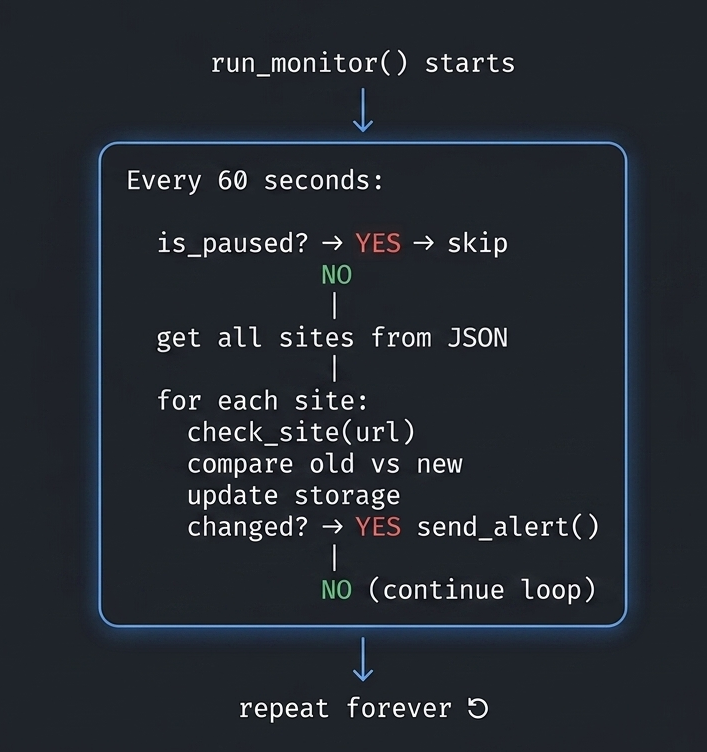
Bot starts
    │
    ▼
while True (runs forever)
    │
    ├── is_paused? ──► YES → skip, sleep, repeat
    │
    └── NO → get all sites → check each one → update → alert if changed
                                    │
                                    ▼
                             sleep(CHECK_INTERVAL)
                                    │
                                    ▼
                              repeat forever ↺
Inside the Loop — Checking Each Site
for url, info in sites.items():
    prev_status = info.get("status", "unknown")
    result = await check_site(url, info.get("keyword"))
    new_status = result["status"]
What it does:
prev_status→ Remembers the old status before checking (e.g.,"up").await check_site(...)→ Actually visits the URL and gets back the result.new_status→ The fresh status just returned (e.g.,"down").
await means: wait for the HTTP check to finish before moving on —
but don't block other tasks
while waiting.
Updating the Site Data
update_site(url,
    status=new_status,
    last_checked=result["checked_at"],
    response_time=result["response_ms"],
    failures=info.get("failures", 0) + (1 if new_status != "up" else 0)
)
What it does: Saves the latest check results back to sites.json.
| Field | What Gets Saved |
|---|---|
status |
Latest status: "up", "down", etc. |
last_checked |
Timestamp of this check |
response_time |
How fast the site responded (ms) |
failures |
Increments by 1 if site is NOT up |
Failure counter logic:
failures + (1 if new_status != "up" else 0)
→ If up: keep the same count
→ If down/missing: add 1 to the failure count
The Smart Alert Trigger
if new_status != prev_status:
    await send_alert(app, url, info["name"], prev_status, new_status, result)
What is does: Only sends an alert when the status actually changed.
Why this is smart: Without this check, you'd get a Telegram message every 60 seconds saying "site is up" — which is annoying spam. This way you only get notified when something actually happens.
| Scenario | Alert Sent? |
|---|---|
| Was up → Still up | ❌ No |
| Was up → Now down | ✅ Yes |
| Was down → Now up | ✅ Yes |
| Was up → Keyword missing | ✅ Yes |
Function 3 — send_alert() — The Telegram Notification
async def send_alert(app, url, name, prev, curr, result):
What is does: Builds a nicely formatted Telegram message and sends it to your chat when a status change is detected.
Step 1 — Decide the Header and Message
if curr == "up":
    header = f"*SITE RECOVERED*"
    color_word = "is back ONLINE"
elif curr == "down":
    header = f"*SITE DOWN ALERT*"
    color_word = "went OFFLINE"
else:
    header = f"*CONTENT CHANGED*"
    color_word = "is missing expected content"
Three possible alert types:
| Current Status | Alert Type |
|---|---|
"up" |
Site Recovered |
"down" |
Site Down Alert |
"keyword_missing" |
Content Changed |
Step 2 — Build the Message
msg = (
    f"{header}\n"
    f"{'─'*30}\n"
    f"*Site:* {name}\n"
    f"*URL:* `{url}`\n"
    f"*Status:* {prev_emoji} → {emoji}  _{color_word}_\n"
    f"*Response:* {result['response_ms']} ms\n"
    f"*Time:* {result['checked_at']}\n"
)
Step 3 — Add Error Info (If Any)
if result.get("error"):
    msg += f"*Error:* `{result['error']}`\n"
Only adds the error line if the check returned an error (e.g., "Connection timeout"). If the site is just slow or missing keyword, there may be no error.
Step 4 — Add Recheck Reminder (If Down)
if curr != "up":
    msg += f"\nRechecking every {CHECK_INTERVAL}s until recovery..."
Adds a helpful footer so you know the bot is still watching and will alert you again when it recovers.
Step 5 — Send the Message
await app.bot.send_message(
    chat_id=CHAT_ID,
    text=msg,
    parse_mode="Markdown",
    disable_web_page_preview=True
)
print(f"  Alert sent: {name} → {curr}")
| Parameter | Purpose |
|---|---|
chat_id=CHAT_ID |
Sends to YOUR Telegram account only |
text=msg |
The formatted message built above |
parse_mode="Markdown" |
Enables bold, italic, code formatting |
disable_web_page_preview=True |
Stops Telegram from generating a URL preview card |
Step 8: Main Bot + All Commands [bot.py]
import asyncio
import logging
from telegram import Update, BotCommand
from telegram.ext import (
    Application, CommandHandler, ContextTypes
)
from config import BOT_TOKEN, CHECK_INTERVAL
from storage import (add_site, remove_site, get_sites,
                     update_site, is_paused, set_paused)
from checker import check_site
from monitor import run_monitor, status_emoji

logging.basicConfig(
    format="%(asctime)s [%(levelname)s] %(message)s",
    level=logging.INFO
)


# ─── /start ──────────────────────────────────────────────────
async def cmd_start(update: Update, ctx: ContextTypes.DEFAULT_TYPE):
    await update.message.reply_text(
        " *Website Monitor Bot*\n"
        "━━━━━━━━━━━━━━━━━━━━━━━\n"
        "I'll watch your websites and alert you the *instant* anything changes.\n\n"
        " *Commands:*\n"
        "`/add   [keyword]` — Add a site\n"
        "`/remove ` — Remove a site\n"
        "`/list` — Show all monitored sites\n"
        "`/status ` — Check a site right now\n"
        "`/statusall` — Check all sites immediately\n"
        "`/pause` — Pause monitoring\n"
        "`/resume` — Resume monitoring\n"
        "`/help` — Show this menu",
        parse_mode="Markdown"
    )


# ─── /add ────────────────────────────────────────────────────
async def cmd_add(update: Update, ctx: ContextTypes.DEFAULT_TYPE):
    args = ctx.args
    if len(args) < 2:
        await update.message.reply_text(
            " Usage: `/add   [keyword]`\n\n"
            "Example:\n"
            "`/add https://devspirehub.com DevspireHub`\n"
            "`/add https://mysite.com MyShop \"Add to Cart\"`",
            parse_mode="Markdown"
        )
        return

    url = args[0]
    if not url.startswith("http"):
        url = "https://" + url

    name = args[1]
    keyword = " ".join(args[2:]) if len(args) > 2 else None

    if len(get_sites()) >= 50:
        await update.message.reply_text(" Max 50 sites reached. Remove one first.")
        return

    add_site(url, name, keyword)

    msg = (
        f" *Site added to watchlist!*\n"
        f" *Name:* {name}\n"
        f" *URL:* `{url}`\n"
    )
    if keyword:
        msg += f" *Monitoring keyword:* `{keyword}`\n"
    msg += f"⏱ *Check interval:* every {CHECK_INTERVAL}s"

    await update.message.reply_text(msg, parse_mode="Markdown")


# ─── /remove ─────────────────────────────────────────────────
async def cmd_remove(update: Update, ctx: ContextTypes.DEFAULT_TYPE):
    if not ctx.args:
        await update.message.reply_text("Usage: `/remove `", parse_mode="Markdown")
        return

    url = ctx.args[^0]
    if remove_site(url):
        await update.message.reply_text(f" Removed: `{url}`", parse_mode="Markdown")
    else:
        await update.message.reply_text(" URL not found in watchlist.")


# ─── /list ───────────────────────────────────────────────────
async def cmd_list(update: Update, ctx: ContextTypes.DEFAULT_TYPE):
    sites = get_sites()
    if not sites:
        await update.message.reply_text(" No sites monitored yet. Use /add to start.")
        return

    paused_tag = "  ⏸ *PAUSED*" if is_paused() else ""
    msg = f" *Monitored Sites*{paused_tag}\n{'━'*30}\n"

    for url, info in sites.items():
        emoji = status_emoji(info.get("status", "unknown"))
        rt = f"{info['response_time']}ms" if info.get("response_time") else "N/A"
        kw = f" |  `{info['keyword']}`" if info.get("keyword") else ""
        msg += (
            f"{emoji} *{info['name']}*{kw}\n"
            f"   └ `{url}`\n"
            f"   └  {rt} |  {info.get('last_checked') or 'Never'}\n\n"
        )

    await update.message.reply_text(msg, parse_mode="Markdown",
                                    disable_web_page_preview=True)


# ─── /status ─────────────────────────────────────────────────
async def cmd_status(update: Update, ctx: ContextTypes.DEFAULT_TYPE):
    if not ctx.args:
        await update.message.reply_text("Usage: `/status `", parse_mode="Markdown")
        return

    url = ctx.args[^0]
    sites = get_sites()
    keyword = sites.get(url, {}).get("keyword")

    await update.message.reply_text(f" Checking `{url}`...", parse_mode="Markdown")
    result = await check_site(url, keyword)

    emoji = status_emoji(result["status"])
    msg = (
        f"{emoji} *Live Check Result*\n"
        f"{'─'*28}\n"
        f"`{url}`\n"
        f" Status: *{result['status'].upper()}*\n"
        f" HTTP Code: `{result['status_code'] or 'N/A'}`\n"
        f" Response: `{result['response_ms']} ms`\n"
        f" Checked: {result['checked_at']}\n"
    )
    if result.get("error"):
        msg += f"Error: `{result['error']}`\n"
    if result.get("keyword") and result.get("keyword_found") is not None:
        found = "Found" if result["keyword_found"] else "Not Found"
        msg += f"Keyword: {found}\n"

    await update.message.reply_text(msg, parse_mode="Markdown",
                                    disable_web_page_preview=True)


# ─── /statusall ──────────────────────────────────────────────
async def cmd_statusall(update: Update, ctx: ContextTypes.DEFAULT_TYPE):
    sites = get_sites()
    if not sites:
        await update.message.reply_text("No sites to check.")
        return

    await update.message.reply_text(f"Checking {len(sites)} site(s)...")

    msg = "*Live Status — All Sites*\n" + "━" * 30 + "\n"
    for url, info in sites.items():
        result = await check_site(url, info.get("keyword"))
        emoji = status_emoji(result["status"])
        update_site(url, status=result["status"],
                    response_time=result["response_ms"],
                    last_checked=result["checked_at"])
        rt = f"{result['response_ms']}ms" if result["response_ms"] else "N/A"
        msg += f"{emoji} *{info['name']}* — `{rt}`\n   `{url}`\n\n"

    await update.message.reply_text(msg, parse_mode="Markdown",
                                    disable_web_page_preview=True)


# ─── /pause & /resume ────────────────────────────────────────
async def cmd_pause(update: Update, ctx: ContextTypes.DEFAULT_TYPE):
    set_paused(True)
    await update.message.reply_text("⏸ Monitoring *paused*. Use /resume to restart.",
                                    parse_mode="Markdown")


async def cmd_resume(update: Update, ctx: ContextTypes.DEFAULT_TYPE):
    set_paused(False)
    await update.message.reply_text("▶Monitoring *resumed*!", parse_mode="Markdown")


# ─── Boot ────────────────────────────────────────────────────
async def post_init(app: Application):
    await app.bot.set_my_commands([
        BotCommand("start",     "Show welcome & help"),
        BotCommand("add",       "Add a site to monitor"),
        BotCommand("remove",    "Remove a site"),
        BotCommand("list",      "List all monitored sites"),
        BotCommand("status",    "Live check one site"),
        BotCommand("statusall", "Live check all sites"),
        BotCommand("pause",     "Pause monitoring"),
        BotCommand("resume",    "Resume monitoring"),
    ])
    asyncio.create_task(run_monitor(app))
    print("Bot is live and monitoring!")


def main():
    app = (
        Application.builder()
        .token(BOT_TOKEN)
        .post_init(post_init)
        .build()
    )

    app.add_handler(CommandHandler("start",     cmd_start))
    app.add_handler(CommandHandler("help",      cmd_start))
    app.add_handler(CommandHandler("add",       cmd_add))
    app.add_handler(CommandHandler("remove",    cmd_remove))
    app.add_handler(CommandHandler("list",      cmd_list))
    app.add_handler(CommandHandler("status",    cmd_status))
    app.add_handler(CommandHandler("statusall", cmd_statusall))
    app.add_handler(CommandHandler("pause",     cmd_pause))
    app.add_handler(CommandHandler("resume",    cmd_resume))

    print("Starting Website Monitor Bot...")
    app.run_polling(drop_pending_updates=True)


if __name__ == "__main__":
    main()
Code Breakdown
Imports
import asyncio
import logging
from telegram import Update, BotCommand
from telegram.ext import Application, CommandHandler, ContextTypes
from config import BOT_TOKEN, CHECK_INTERVAL
from storage import (add_site, remove_site, get_sites,
                     update_site, is_paused, set_paused)
from checker import check_site
from monitor import run_monitor, status_emoji
| Import / Function / Constant | What It Does |
|---|---|
asyncio |
Runs async tasks (background monitor loop) |
logging |
Prints log messages with timestamps |
Update |
Represents an incoming Telegram message/command |
BotCommand |
Defines slash commands shown in Telegram menu |
Application |
The main bot app object from python-telegram-bot |
CommandHandler |
Links a /command to a Python function |
BOT_TOKEN |
Your secret bot token from .env |
CHECK_INTERVAL |
How often (seconds) to check sites |
storage functions |
Load, save, update site data |
check_site |
Performs the actual HTTP request |
run_monitor |
The background loop that checks sites |
status_emoji |
Returns ✅🔴⚠️ based on site status |
Logging Setup
logging.basicConfig(
    format="%(asctime)s [%(levelname)s] %(message)s",
    level=logging.INFO
)
What it does: Configures Python's built-in logger to print timestamped messages in your terminal.
2026-04-11 10:00:01 [INFO] Bot started polling...
2026-04-11 10:01:00 [INFO] Checking https://mysite.com
Why it's used: Helps you debug and monitor the bot's activity in real time without adding print() everywhere.
/start Command
async def cmd_start(update: Update, ctx: ContextTypes.DEFAULT_TYPE):
    await update.message.reply_text(
        " *Website Monitor Bot*\n..."
        parse_mode="Markdown"
    )
What it does: Sends a welcome message with the full list of available commands
when the user sends /start or /help.
/add Command
async def cmd_add(update: Update, ctx: ContextTypes.DEFAULT_TYPE):
    args = ctx.args
    if len(args) < 2:
        await update.message.reply_text(" Usage: ...")
        return

    url = args[0]
    if not url.startswith("http"):
        url = "https://" + url

    name    = args[1]
    keyword = " ".join(args[2:]) if len(args) > 2 else None

    if len(get_sites()) >= 50:
        await update.message.reply_text(" Max 50 sites reached.")
        return

    add_site(url, name, keyword)
    await update.message.reply_text(msg, parse_mode="Markdown")
What it does: Adds a new website to the monitoring watchlist.
User sends: /add https://mysite.com MySite "Add to Cart"
                   ↓           ↓         ↓
               args[0]      args[1]   args[2:]
                 url          name     keyword
| Step | What Happens |
|---|---|
Check len(args) < 2 |
Show usage hint if URL or name is missing |
Check if not url.startswith("http") |
Auto-adds https:// if user forgot it |
" ".join(args[2:]) |
Joins multi-word keywords like "Add to Cart" |
len(get_sites()) >= 50 |
Hard limit of 50 sites to prevent abuse |
add_site(url, name, keyword) |
Saves the site to sites.json |
/remove Command
async def cmd_remove(update: Update, ctx: ContextTypes.DEFAULT_TYPE):
    if not ctx.args:
        await update.message.reply_text("Usage: `/remove `")
        return

    url = ctx.args[0]
    if remove_site(url):
        await update.message.reply_text(f" Removed: `{url}`")
    else:
        await update.message.reply_text(" URL not found in watchlist.")
What it does: Removes a website from the watchlist by its URL.
remove_site(url)returns True if found and deleted, False if not found.- The bot replies with a different message depending on whether deletion succeeded.
/list Command
async def cmd_list(update: Update, ctx: ContextTypes.DEFAULT_TYPE):
    sites = get_sites()
    if not sites:
        await update.message.reply_text(" No sites monitored yet.")
        return

    paused_tag = "  ⏸ *PAUSED*" if is_paused() else ""
    msg = f" *Monitored Sites*{paused_tag}\n{'━'*30}\n"

    for url, info in sites.items():
        emoji = status_emoji(info.get("status", "unknown"))
        rt    = f"{info['response_time']}ms" if info.get("response_time") else "N/A"
        kw    = f" |  `{info['keyword']}`" if info.get("keyword") else ""
        msg  += f"{emoji} *{info['name']}*{kw}\n└ `{url}`\n└ ⏱ {rt}\n\n"

    await update.message.reply_text(msg, parse_mode="Markdown",
                                    disable_web_page_preview=True)
What it does: Shows all monitored websites in a formatted list with their status, response time, and last checked time.
Sample output in Telegram:
 Monitored Sites  ⏸ PAUSED
━━━━━━━━━━━━━━━━━━━━━━━━━━━━━━
 DevspireHub |  `login`
   └ https://devspirehub.com
   └  320ms |  2026-04-11 09:55:00

 MyShop
   └ https://myshop.com
   └  N/A |  Never
why disable_web_page_preview=True? Prevents Telegram from generating
link
previews for
every URL in the list, which would clutter the message.
/status Command
async def cmd_status(update: Update, ctx: ContextTypes.DEFAULT_TYPE):
    url     = ctx.args[0]
    keyword = sites.get(url, {}).get("keyword")

    await update.message.reply_text(f" Checking `{url}`...")
    result  = await check_site(url, keyword)

    # Build and send result message
    await update.message.reply_text(msg, parse_mode="Markdown")
What it does: Instantly checks a single site right now (outside the regular interval) and reports the live result.
Flow:
 /status https://mysite.com
       ↓
Send " Checking..." message
       ↓
await check_site() → HTTP request
       ↓
Reply with live result:
   Status: UP
   HTTP Code: 200
   Response: 245ms
   Keyword:  Found
why " Checking..." first? Because check_site() takes time (network request). The immediate reply lets the
user know the bot received the command
and is working on it — prevents them thinking the bot is frozen.
/statusall Command
async def cmd_statusall(update: Update, ctx: ContextTypes.DEFAULT_TYPE):
    sites = get_sites()
    await update.message.reply_text(f" Checking {len(sites)} site(s)...")

    for url, info in sites.items():
        result = await check_site(url, info.get("keyword"))
        update_site(url, status=result["status"], ...)
        msg += f"{emoji} *{info['name']}* — `{rt}`\n`{url}`\n\n"

    await update.message.reply_text(msg, parse_mode="Markdown")
What it does: Checks ALL monitored sites immediately and sends one combined status report.
Bonus Bebavior: It also calls update_site() to save
the fresh status back to
sites.json — so /list will show updated data
after
/statusall runs.
/pause and /resume Commands
async def cmd_pause(update: Update, ctx: ContextTypes.DEFAULT_TYPE):
    set_paused(True)
    await update.message.reply_text("⏸ Monitoring *paused*.")

async def cmd_resume(update: Update, ctx: ContextTypes.DEFAULT_TYPE):
    set_paused(False)
    await update.message.reply_text("▶ Monitoring *resumed*!")
What they do:
/pause→ Sets "paused": true in sites.json → monitor.py skips all checks./resume→ Sets "paused": false → monitoring continues normally
These are the simplest functions — just one storage call and one reply each.
post_init() Boot Hook
async def post_init(app: Application):
    await app.bot.set_my_commands([
        BotCommand("start",     "Show welcome & help"),
        BotCommand("add",       "Add a site to monitor"),
        # ... more commands
    ])
    asyncio.create_task(run_monitor(app))
    print(" Bot is live and monitoring!")
What it does: Runs automatically right after the bot connects to Telegram — before it starts listening for messages.
It does two critical things:
| Task | What It Does |
|---|---|
set_my_commands([...]) |
Registers all slash commands in Telegram's UI menu (the / popup) |
asyncio.create_task(run_monitor(app)) |
Launches the background monitoring loop as a parallel async task |
Why asyncio.create_task()? It runs run_monitor() in the background
without blocking the bot. The bot can still respond to commands while
monitoring runs simultaneously.
post_init() fires on startup
     ├──► set_my_commands()  → Registers /add, /list etc. in Telegram UI
     └──► create_task()      → Launches background monitor loop
                                      ↓
                          Runs forever every 60s
                          (while bot handles commands in parallel)
main() — The Entry Point
def main():
    app = (
        Application.builder()
        .token(BOT_TOKEN)
        .post_init(post_init)
        .build()
    )

    app.add_handler(CommandHandler("start",     cmd_start))
    app.add_handler(CommandHandler("help",      cmd_start))
    app.add_handler(CommandHandler("add",       cmd_add))
    app.add_handler(CommandHandler("remove",    cmd_remove))
    app.add_handler(CommandHandler("list",      cmd_list))
    app.add_handler(CommandHandler("status",    cmd_status))
    app.add_handler(CommandHandler("statusall", cmd_statusall))
    app.add_handler(CommandHandler("pause",     cmd_pause))
    app.add_handler(CommandHandler("resume",    cmd_resume))

    app.run_polling(drop_pending_updates=True)

if __name__ == "__main__":
    main()
What it does: Builds the bot, registers all command handlers, and starts it.
Line by line:
Application.builder().token(BOT_TOKEN).post_init(post_init).build()
Application.builder()→ Creates a bot builder object..token(BOT_TOKEN)→ Authenticates with Telegram using your secret token..post_init(post_init)→ Registers the boot hook to run after connection..build()→ Finalizes and returns the bot app/
app.add_handler(CommandHandler("add", cmd_add))
- Tells the bot: "When someone sends
/add, call thecmd_add()function". - Note: Both
"start"and"help"are mapped to the same cmd_start function.
app.run_polling(drop_pending_updates=True)
- Starts the bot and continuously polls Telegram for new messages.
drop_pending_updates=True→ Ignores any commands sent while the bot was offline (prevents old command flooding on restart).
if __name__ == "__main__":
    main()
Ensures main() only runs when you directly execute python bot.py, not
when imported as a module.
Full Flow — How It All Works Together
python bot.py
     ↓
main() runs
     ↓
Application built with BOT_TOKEN
     ↓
post_init() fires:
  ├── Registers /commands in Telegram UI
  └── Starts run_monitor() as background task
            ↓
Bot starts polling Telegram
            │
  ┌─────────┴──────────┐
  │                    │
User sends /add     Background loop
  ↓                    ↓
cmd_add()          Every 60s:
  ↓                check_site()
add_site() saves     ↓
to sites.json      Status changed?
                     ↓
                   send_alert() → Telegram message to you 📱)
Running the Bot
# Run locally
python bot.py

# Run on VPS in background (persistent)
nohup python bot.py > bot.log 2>&1 &

# Or with screen
screen -S monitor
python bot.py
# Ctrl+A, D to detach
Quick Reference — All Commands
| Command | Function | What It Does |
|---|---|---|
/start or /help |
cmd_start |
Shows welcome + all commands |
/add <url> <name> |
cmd_add |
Adds site to watchlist |
/remove <url> |
cmd_remove |
Removes site from watchlist |
/list |
cmd_list |
Shows all sites + status |
/status <url> |
cmd_status |
Live checks one site now |
/statusall |
cmd_statusall |
Live checks all sites now |
/pause |
cmd_pause |
Pauses background monitoring |
/resume |
cmd_resume |
Resumes background monitoring |
Project Conclusion
Congratulations! You've just built a fully functional Python Telegram bot that monitors any website 24/7, detects downtime, tracks keyword changes, and delivers instant Telegram alerts — all from a single lightweight Python script.
This project is more than just a beginner exercise. It's a real-world automation tool you can deploy on a VPS today and use to protect your live websites, monitor competitors, or supercharge your bug bounty workflow.
Take It Further — What to Build Next
This bot is a strong foundation. Here are some powerful ways to extend it:
| Next Step | What to Add |
|---|---|
| 📧 Email Alerts | Add smtplib for dual Telegram + Email notifications |
| 📊 Response Time Chart | Use matplotlib to visualize uptime history |
| 🔐 SSL Expiry Checker | Alert when an SSL certificate is about to expire |
| ☁️ Cloudflare Integration | Monitor your Cloudflare Pages deployments by checking for your latest Git commit hash in the HTML |
| 👥 Multi-User Support | Let a team manage their own separate watchlists |
| 📦 Docker Deployment | Containerize the bot for easy cloud deployment |
Why This Project Matters
Whether you're a web developer guarding your production site, a bug bounty hunter tracking target page changes, or a Python beginner building your first automation tool — this Python Telegram bot project delivers practical, real-world skills that directly apply to modern development, DevOps, and cybersecurity.
Found this tutorial helpful? Share it with your developer community and follow along for more real-world Python automation, website monitoring, and ethical hacking projects.
Other Projects

Shooter Game
This is a beginner-friendly guide for building a Space Shooter game with Python and Pygame, covering coding concepts and project structure.
View Project →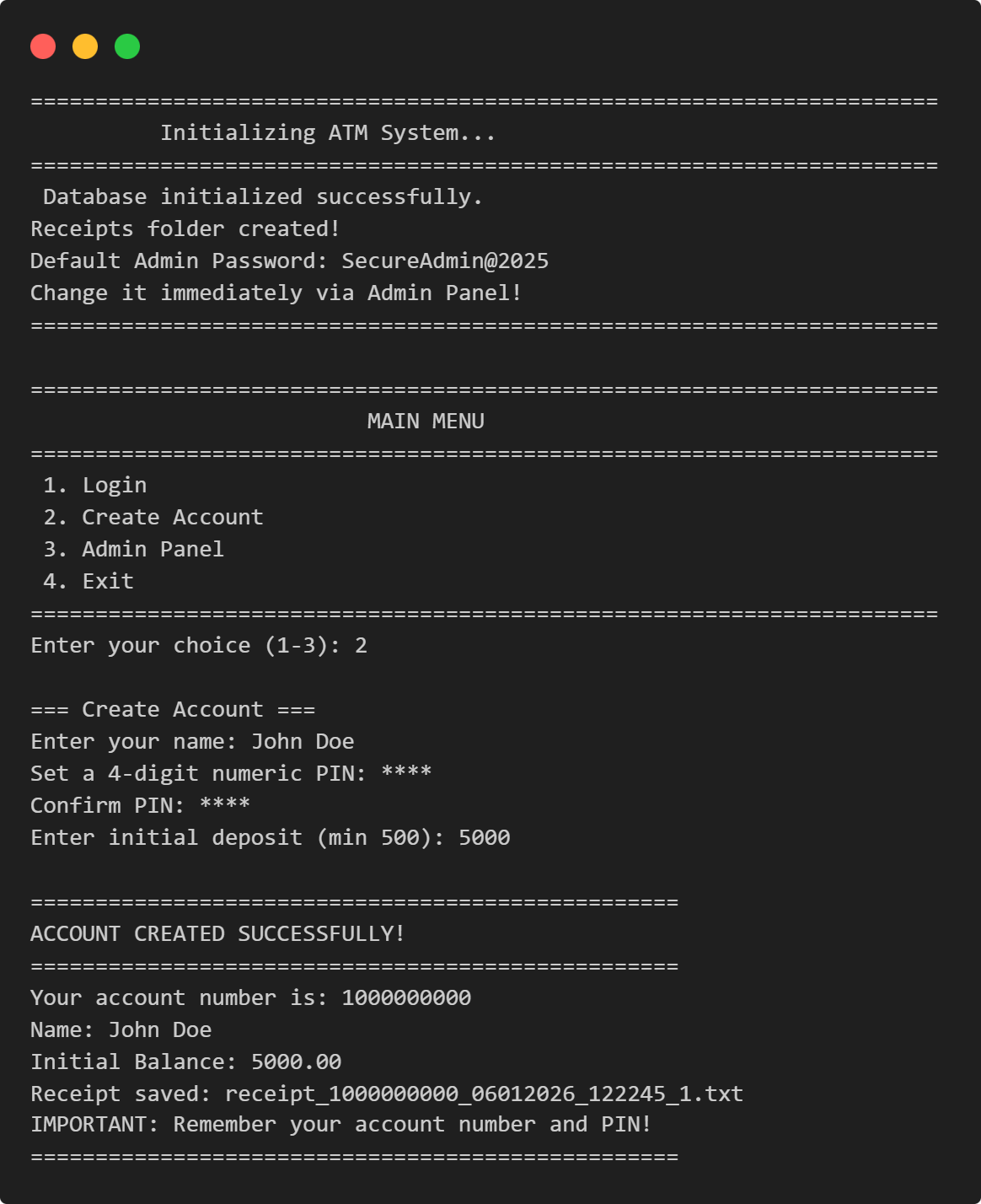
ATM Management System
This Python application implements a multi-user ATM system with SQLite-backed persistence, featuring account management, financial transactions, and administrative controls.
View Project →
Weather App
Responsive weather app with real-time API data, feature comparison, and intuitive design for global city forecasts.
View Project →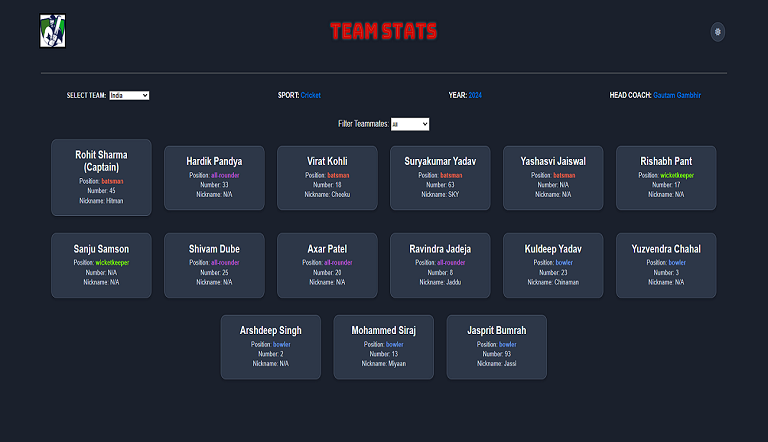
Team Card App
Interactive team card application for cricket, featuring dynamic team selection, player filters, and customizable light/dark themes.
View Project →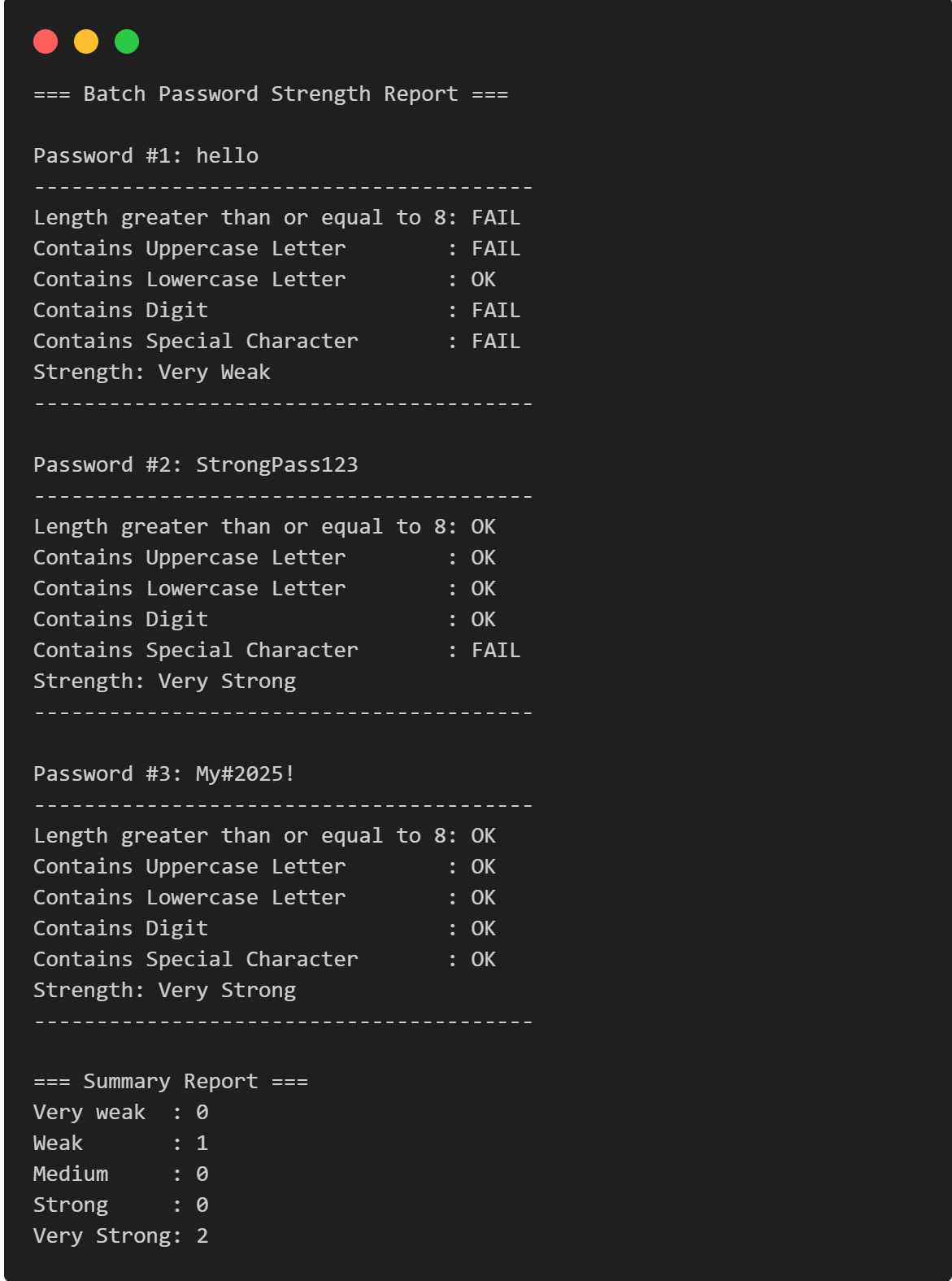
Password Strength Checker
Multi-Password Batch Strength Checker (C++), designed to check multiple passwords at once, show individual strength, and provide a summary report.
View Project →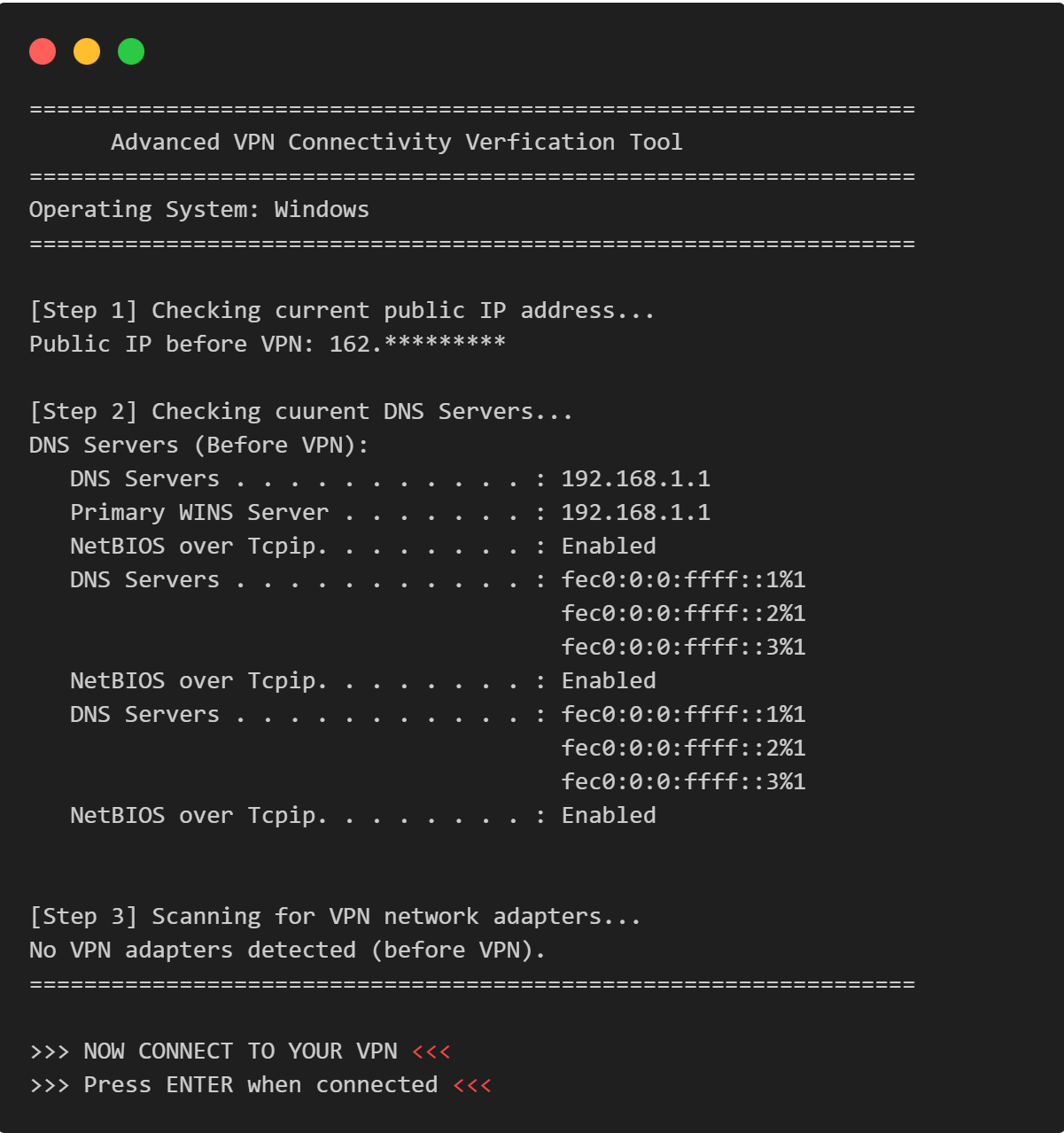
VPN Connectivity verification in C
Efficient C program to verify VPN status, routing, and DNS configurations through comprehensive public IP and network adapter analysis.
View Project →